

Casino glossary · Stopping access
Self-exclusion: a request to block gambling access
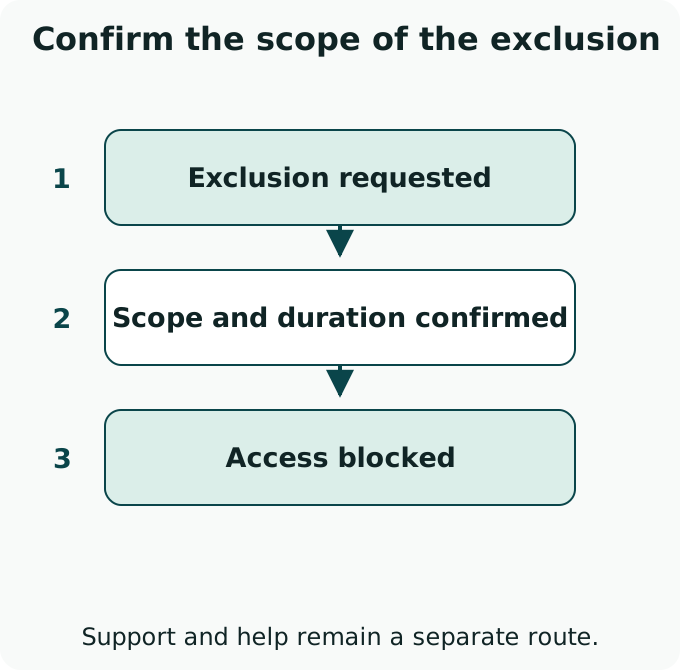
Self-exclusion is a formal request to restrict your access to gambling. It can cover one operator or the businesses included in a wider scheme. Logging out or turning off promotional emails leaves account access available; an exclusion needs its own request and confirmation.
Find the exclusion control
Open the account's responsible-gambling or safer-gambling settings and look for Self-exclusion. If the control is missing or unclear, contact support and state that you want to self-exclude. Ask for the start time, duration and covered accounts in writing.
A direct request can say: I want to self-exclude from gambling. Please confirm when the restriction starts, how long it lasts, which accounts and brands it covers, and how any remaining balance will be returned.
Choose the access restriction you mean
| Control | Its purpose | What to confirm |
|---|---|---|
| Time-out or temporary break | Pause access for the selected period | The end date and how access resumes |
| Self-exclusion | Restrict access under the exclusion process | Duration, covered accounts and the rules for any later return |
| Deposit or loss limit | Limit a specified type of spending | What the limit measures; account access can remain available |
Names and available periods vary. Read the actual control before confirming it.
Keep the exclusion confirmation
Scope
Record the operator, brands and accounts covered. An exclusion from one site does not establish that unrelated sites are blocked.
Start and duration
Keep the confirmed start and end dates, or the stated indefinite period. Ask how a request to return is handled rather than assuming the block can be reversed immediately.
Balance and messages
Ask how remaining money is handled and request an end to marketing messages. Follow the account's return-of-funds process without further gambling.
Wider coverage needs a separate check
A multi-operator scheme can cover more than one business. GAMSTOP is an example for online gambling in Great Britain. Check a scheme's eligibility and included operators for your location before relying on its coverage.
Blocking software and a bank's gambling-payment controls can add barriers where available. They work alongside an exclusion request and support. Keep registration details current so the scheme can identify the accounts it covers.
If an excluded account remains accessible, avoid placing a bet and report the access with the confirmation reference. Opening another account or switching operators bypasses the restriction you requested.
Support can start while the request is being processed
Continue with the question that matters
- Find support and access-blocking resources
- Recognize chasing losses
Understand the urge to keep gambling to recover money already lost.